Settings
Settings are on the module screen: the settings page of the Warehouse & Inventory app (Складський облік) in the App store (Крамниця застосунків). Only the portal owner and administrators see the Тариф (Plan), Склади (Warehouses), Облік (Accounting) and Структура (Structure) tabs; other employees see only Reports there.
The owner and administrators can also open the settings from Uspacy cards: the Налаштування (Settings) gear in the Auspex header on the module’s tab in a deal, product or stock document opens the same screen over the card, on the Тариф tab. To close it, press Esc or click outside it; the card stays open.
License status, the number of active warehouses, plan selection and payment. See Plans and payment for details. The badge in the screen header (for example, «Пробний до …» (“Trial until …”)) also leads to this tab — both on the module screen and in the card header.
Warehouses
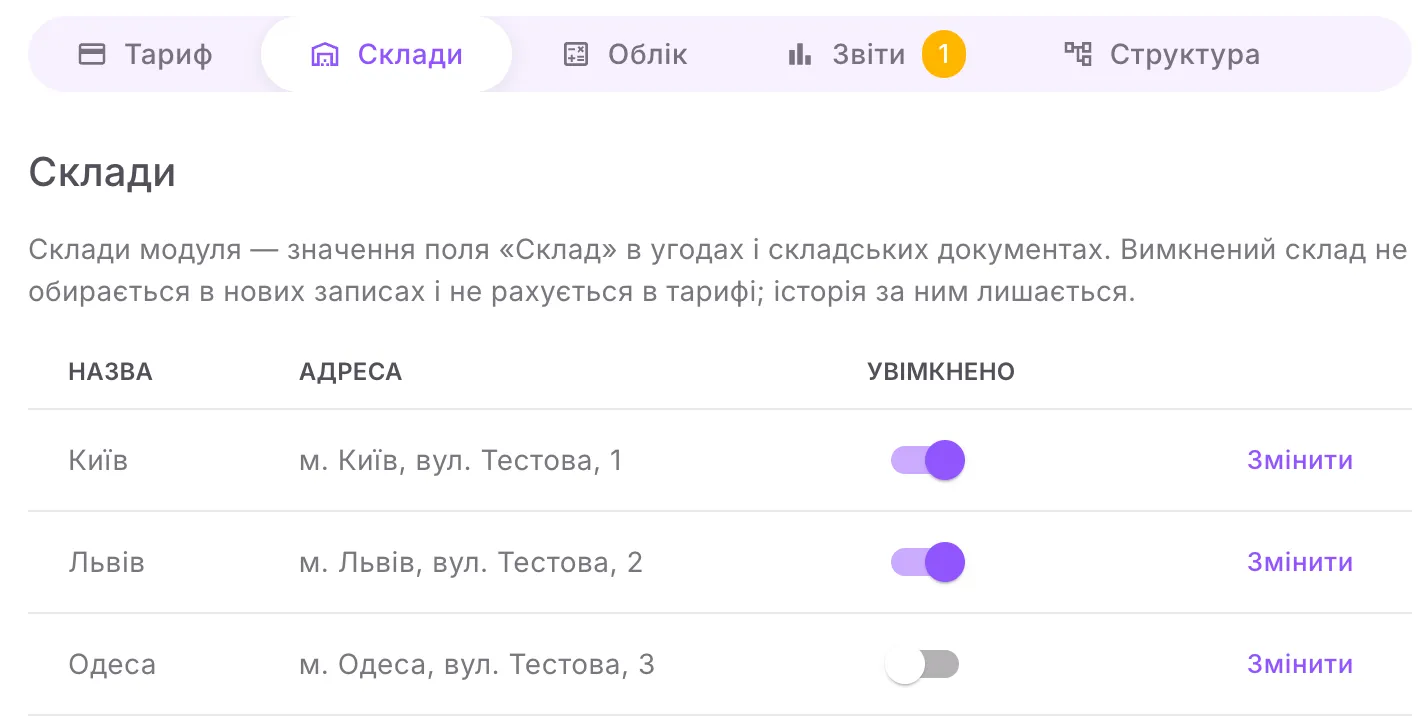
Section titled “Warehouses”The module’s warehouses are the values of the «Склад» (“Warehouse”) field in deals and stock documents. Only the module maintains the list: the field in Uspacy updates by itself as soon as you change a warehouse here.
- Додати склад (Add warehouse) — enter Назва складу (Warehouse name) and, optionally, Адреса (Address). A new warehouse is turned on right away. The name is up to 100 characters and cannot repeat an existing one (upper and lower case and extra spaces are ignored); the address is up to 300 characters.
- Змінити (Edit) — the name, the address and Порядок у списку (Order in the list): a smaller number puts the warehouse higher in the list of warehouses in Uspacy.
- The Увімкнено (On) switch — a warehouse that is turned off cannot be chosen in new records and does not count towards the plan; its history stays in the reports.
- A warehouse cannot be deleted — only turned off: posted documents refer to it.
- Склад за замовчуванням для угод без складу (Default warehouse for deals without a warehouse) — deals whose «Склад» field is empty are reserved from it. Only a warehouse that is turned on can be chosen, and it cannot be turned off while it is the default. The option «Не вибрано — угода без складу не резервується» (“Not selected — a deal without a warehouse is not reserved”) turns this substitution off.
If «Склад збережено, але в Uspacy список у полях «Склад» не оновився» (“The warehouse was saved, but the list in the «Склад» fields in Uspacy was not updated”) appears after your changes, open Структура and click Створити відсутнє (Create missing) — the module will send the list again.
Accounting
Section titled “Accounting”| Setting | What it does |
|---|---|
| Складський облік увімкнено (Inventory accounting is on) | the main switch. While it is off, documents are not posted and deal reserves do not change |
| Дата заборони змін (Lock date) | documents dated earlier than this cannot be posted, cancelled or changed retroactively. An empty field means there is no restriction |
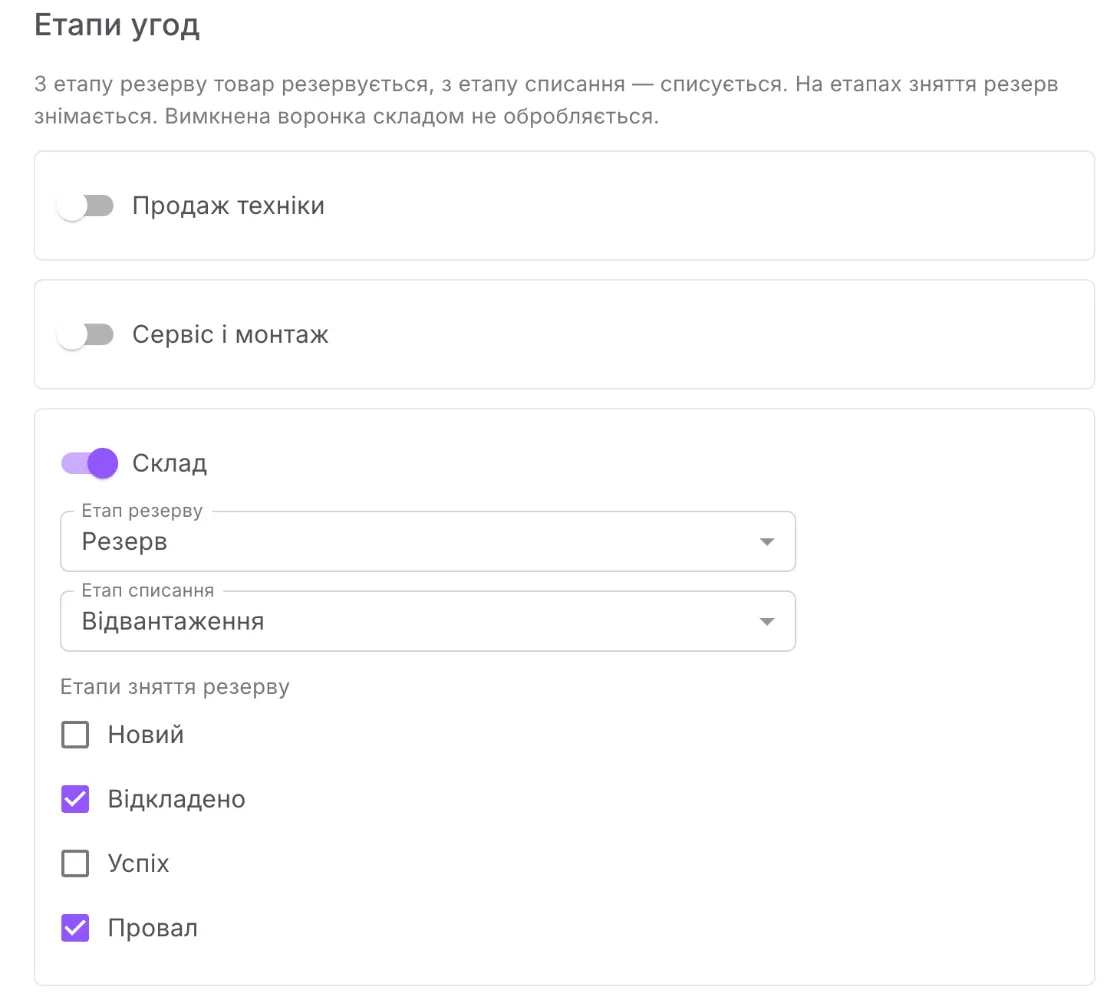
| Етапи угод (Deal stages) | for each deal pipeline: whether inventory accounting handles it and at which stages to reserve, write off and release the reserve |
For each pipeline that is turned on:
- Етап резерву (Reservation stage) — required. Goods are reserved from this stage on.
- Етап списання (Write-off stage) — goods are written off at this stage and the ones after it. «Не списувати за етапом» (“Do not write off by stage”) — the module only reserves. The write-off stage cannot come before the reservation stage.
- Етапи зняття резерву (Reserve release stages) — the reserve is released at the ticked stages. The lost stage always releases the reserve.
A pipeline that is turned off is not handled by inventory accounting: no new reserves are made in it, and existing ones are released. After making changes, click Зберегти (Save). If the stages changed or accounting has just been turned on, open deals at reservation stages are reserved in the background — this can take a few minutes. How the module behaves at each stage is described in Reserve and write-off by deal.
The warning on this tab is worth reading: the module maintains a product’s stock and reserve on the Uspacy card as soon as the product appears in its records, so a manual value will be overwritten.
Structure
Section titled “Structure”Here you can see what the module has created in the portal: the groups Об’єкти (Objects), Поля (Fields), Воронки (Pipelines), Шаблони (Templates). Each item has a status — «Готово» (“Ready”), «Відсутнє» (“Missing”), «Пошкоджено» (“Damaged”) or «Не перевірено» (“Not checked”) — and a Відкрити в Uspacy (Open in Uspacy) link. The number on a group is how many items need attention. Under each group there is a hint on what to do if an item is not visible in Uspacy.
- Створити відсутнє — appears when something is missing and creates only what is missing.
- Підключити наявну структуру (Connect existing structure) — appears if the structure in Uspacy is intact (for example, after a reinstall) but the module does not know it yet. It restores the warehouses from the values of the «Склад» field, with the same numbers.
The «Складські документи» (“Stock documents”) object, the «Склад» field in deals, the pipelines and the templates remain in the portal even after the app is removed. If Uspacy did not let the module upload the print templates, the Шаблони group will contain the files and step-by-step instructions — see Printing documents.
Maintenance
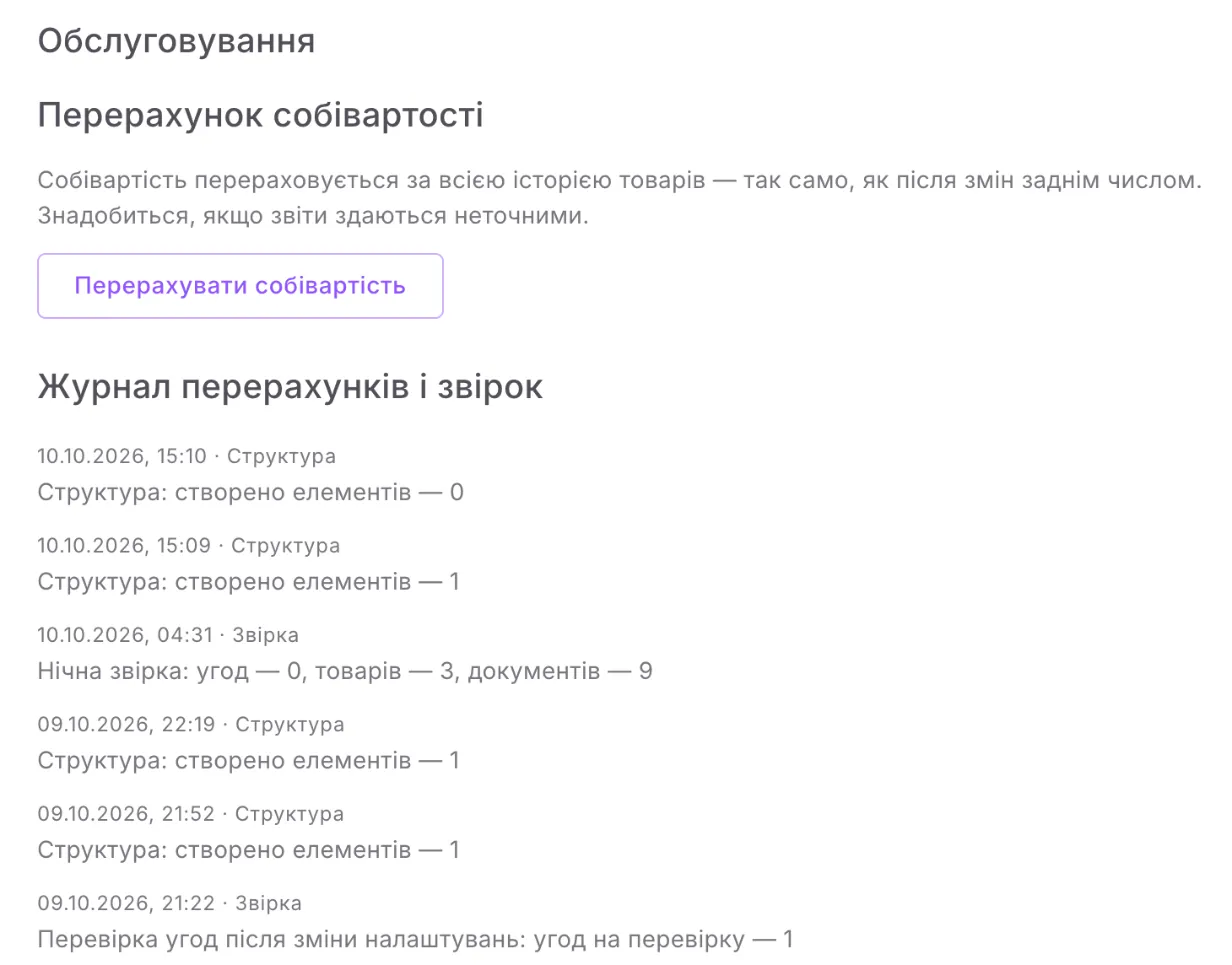
Section titled “Maintenance”- Перерахувати собівартість (Recalculate cost) — recalculates cost over the whole history of the products, the same way as after backdated changes. Useful if the reports seem inaccurate.
- Журнал перерахунків і звірок (Recalculation and reconciliation log) — the module’s latest entries with dates: recalculations, nightly reconciliations, runs of «Структура», and document fields that were changed manually and reverted. Entries that need action are shown as warnings.