
Warehouse & Inventory for Uspacy
Uspacy has a product catalog but no warehouses, reservations or cost of goods — Warehouse & Inventory by Auspex adds them right inside your CRM, with no separate accounting app.
No Uspacy yet? Try Uspacy
Updated

Warehouse & Inventory adds what Uspacy needs for trading: how much stock is in each warehouse, how much is already reserved for deals, and what it cost you. Managers see available stock on the deal card, and stock is written off automatically when a deal reaches the right stage.
Documents, balances and reports live in your workspace next to deals and catalog products — no more reconciling Excel or another app.
What the app does
Warehouses and stock documents
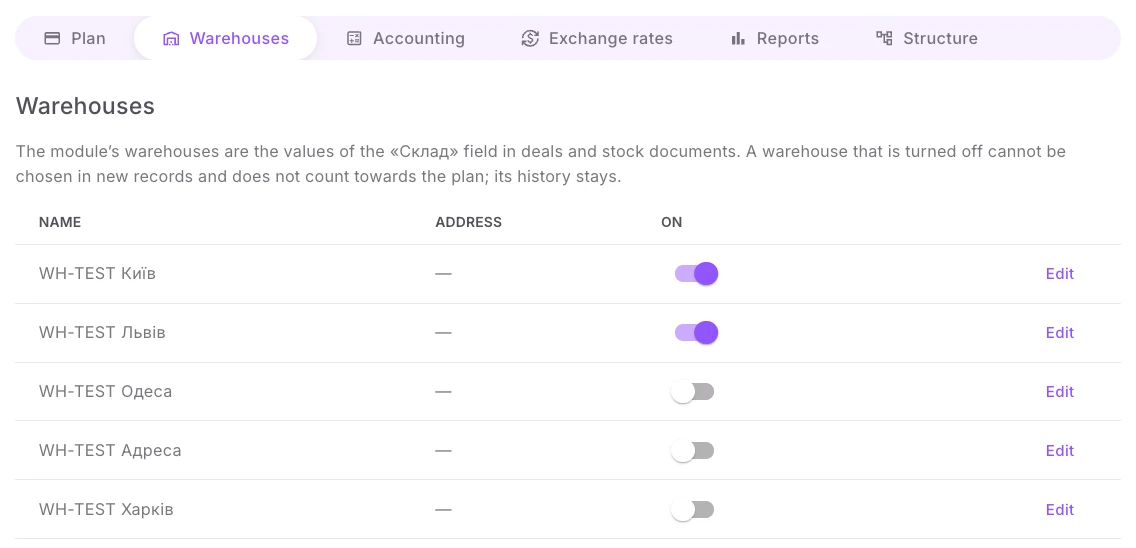
Supplier receipts, stock additions, write-offs, transfers between warehouses, stocktakes and customer returns. Warehouses are managed in the module settings. A document affects stock only once it is posted.
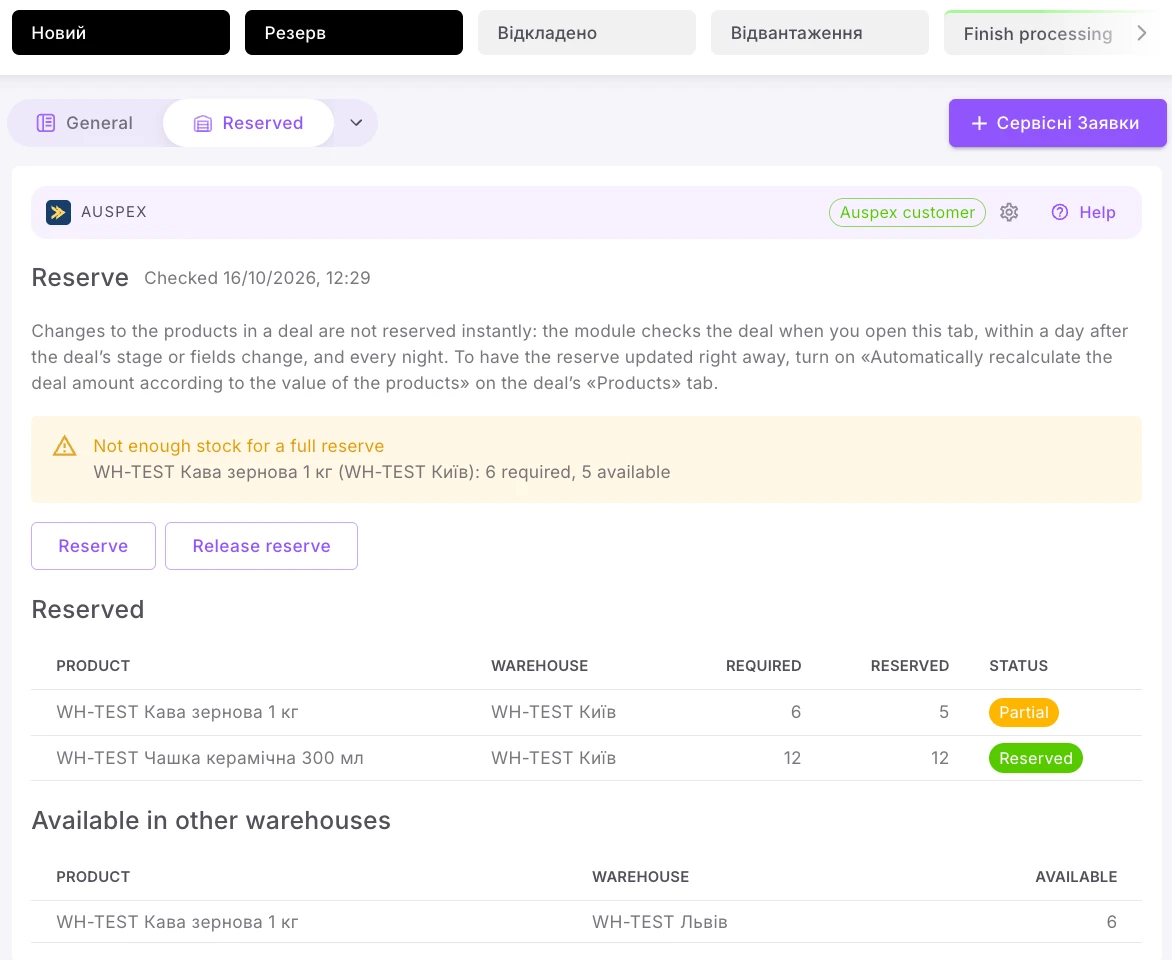
Reserve and ship by deal stage
You choose the stage that reserves goods and the stage that ships them. Shortages show up at once: the module comments on the deal when stock runs short.
Stock never goes negative
The module won't post a document or ship a deal if any warehouse would run short on any date — even for backdated documents.
Weighted average cost
Cost is calculated automatically and recalculated when you post a backdated receipt. Gross profit by deal accounts for returns.
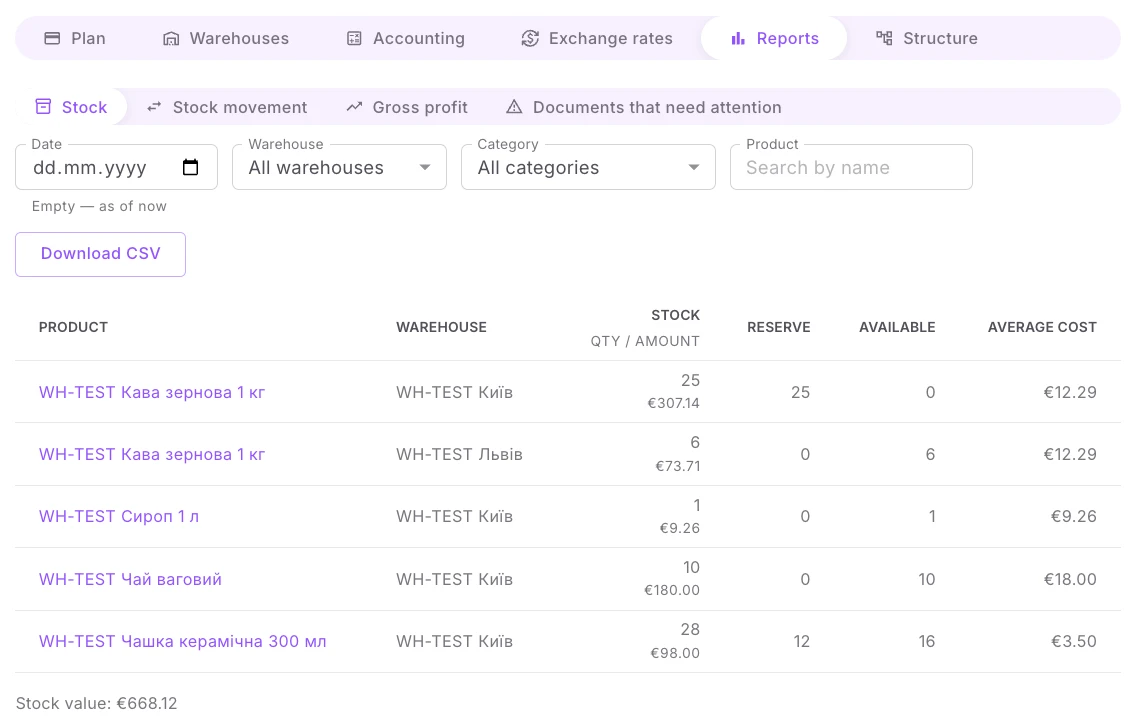
Reports
Stock on any date, stock movement for a period, and gross profit by deal and product.
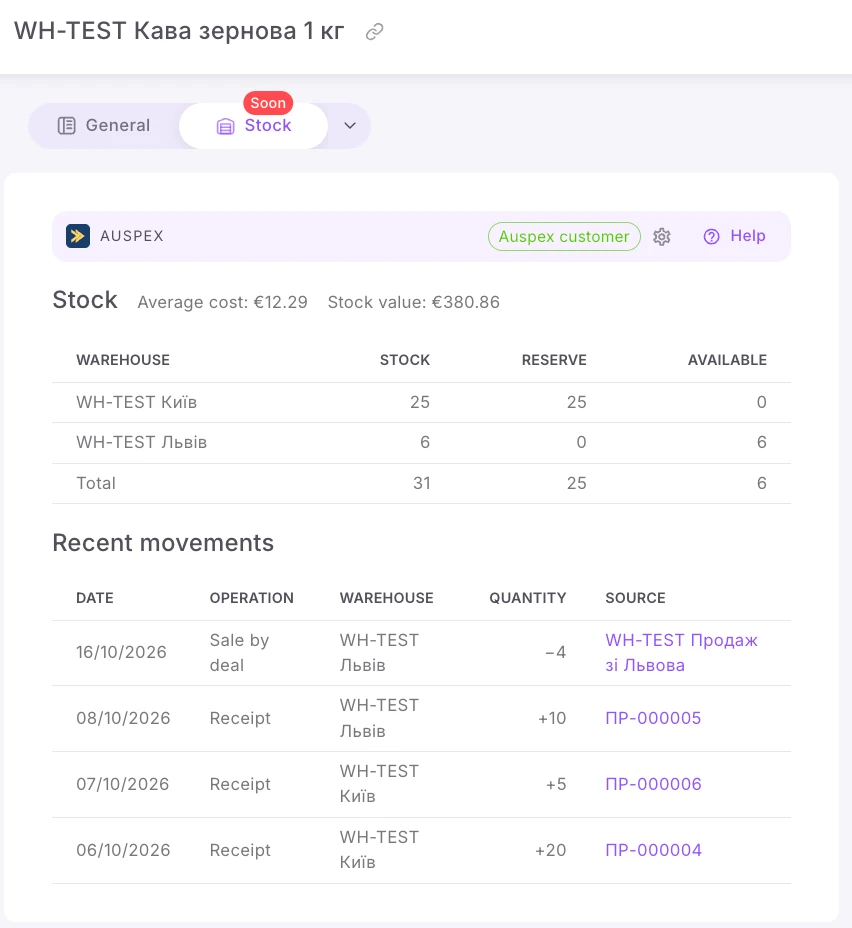
Stock in the catalog
Warehouse quantities are updated on Uspacy products, so managers see current numbers without opening the module.
Printing documents
Goods received note, transfer note, write-off report and stocktake sheet: ready-made templates from the module — added to Uspacy automatically where Uspacy allows it, otherwise downloaded from the module settings.
How it looks
Who it is for
A fit for wholesale and retail, distribution, online stores and service companies that sell goods through Uspacy deals.
How to start
- Install the app
- Create the structure in the portal
- Check the warehouses
- Turn on accounting and set the deal stages
- Enter opening stock
Pricing
A 14-day trial with every feature, then ₴790 a month for one warehouse, ₴1,490 for up to three, or ₴2,490 for unlimited warehouses. Paying yearly saves 20%. Special terms for Auspex customers — message us on Telegram.
Questions and answers
- Does Uspacy have inventory management?
- Not built in: Uspacy has a product catalog, but no warehouses, reserves or cost of goods. The Warehouse & Inventory app by Auspex Streamline adds them. You install it from the Uspacy app store, and it runs inside your portal.
- How do I reserve and write off stock automatically in Uspacy?
- On the «Облік» (Accounting) tab the administrator picks a reserve stage and a write-off stage for each pipeline. When a deal reaches the reserve stage, the module reserves the goods in the warehouse set in the deal's «Склад» (Warehouse) field; at the write-off stage it writes them off at average cost. If anything is short, nothing is written off and the deal gets a comment.
- Can I run several warehouses in Uspacy?
- Yes. You add warehouses on the «Склади» (Warehouses) tab and move goods between them with a transfer document. Your plan sets how many warehouses can be active: one, up to three, or unlimited.
- How much does inventory management for Uspacy cost?
- The first 14 days after installation are a trial with every feature. After that it is ₴790 a month for one warehouse, ₴1,490 for up to three, or ₴2,490 for unlimited warehouses; paying yearly saves 20%. You pay by card in hryvnias. Auspex customers get special terms.
- How do I install inventory management in Uspacy?
- In Uspacy, open the app store (Крамниця застосунків), find Warehouse & Inventory (Складський облік, by Auspex Streamline) and click «Отримати» (Get). Four more steps take 15–20 minutes: structure, warehouses, deal stages and opening stock. The Quick start section of the documentation walks through them.
Ready to Get Your Sales Under Control?
Free process audit — 30 minutes, and you'll receive:
1,200+ companies since 2015 · 30-day median go-live