
Why does boring pay back before flashy?
The 2026 divide is no longer between companies that adopted AI and companies that didn't. It runs between wiring automation tactically into specific workflows and the hype around “autonomous agents that will replace a department.”
The reason is simple. A boring process — an invoice, a reminder, a call to a client — has a clear metric before and after. You see the payback on the first payment that finally lands, or the first client you didn't lose. An autonomous agent that “walks the client from inquiry to closed deal on its own” needs months of setup, clean data and the team's trust, and its effect is smeared across the whole funnel and hard to measure.
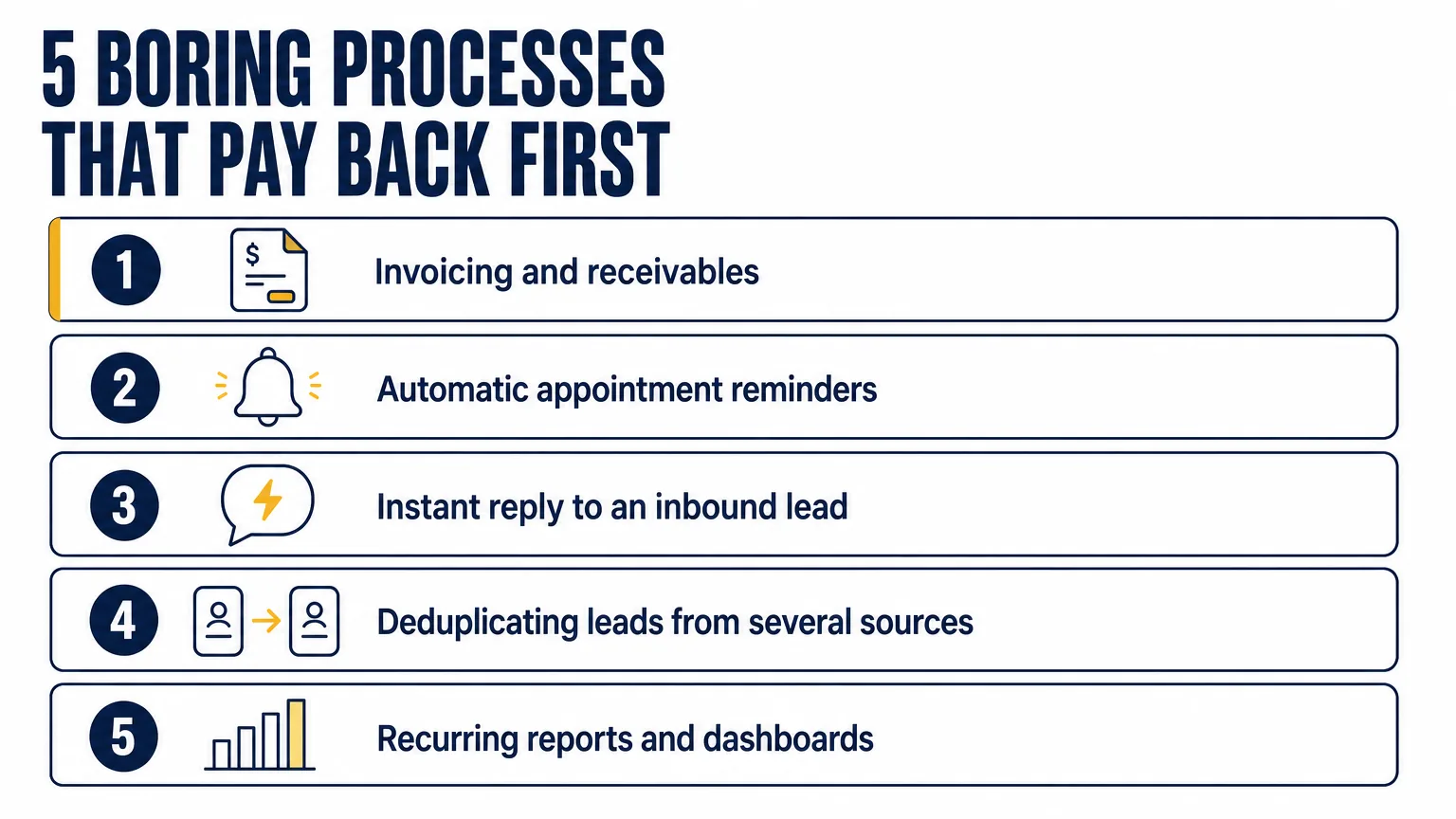
Which 5 processes pay back first?
The order below runs by payback speed, from fastest to slowest.
1. Invoicing and receivables
At any given moment about 56% of small businesses are sitting on unpaid invoices, and the average amount stuck in the US is around $17,500 (Intuit QuickBooks). That money is already earned; it just sits in someone else's pocket doing nothing.
Automation here does not even need AI — a plain sequence is enough: the invoice goes out on its own, reminders follow a schedule, overdue items stay visible instead of being forgotten. Companies that automated more than half of the receivables cycle cut DSO — the average time it takes to get paid — by roughly 32%, about 19 days faster (PYMNTS Intelligence). Payback runs in days and weeks: the first invoice closed on time already covers the setup.
2. Automatic appointment and meeting reminders
For appointment-based businesses — clinics, auto service, beauty salons, consulting — a no-show means an empty chair nobody paid for. An empty chair costs the clinic an hour of the dentist's time plus the procedure that never happened — and over a month they add up to somebody's salary.
An automatic reminder sequence — a confirmation, a reminder 48 hours out and one on the day — cuts no-shows by 22–41% in published research (a Dental Tribune analysis of 1.6 million visits; Athenahealth; Mindbody). The effect is larger if you add a live call for the most expensive slots. Payback: 2–4 weeks.
3. Instant reply to an inbound lead
Response speed decides more than the quality of the script. In the classic MIT and InsideSales study, answering in 5 minutes rather than 30 makes you 21 times more likely to qualify the lead and 100 times more likely to reach the person at all. Harvard Business Review, in the study “The Short Life of Online Sales Leads,” records a sevenfold difference within the first hour alone.
Automation here means an instant confirmation of the inquiry, routing to whichever rep is free, and a record in the CRM while the client is still thinking about you. AI is optional: what matters is that no inquiry sits unread for an hour in someone's inbox. Payback counts from the first deal you save — and one saved deal usually covers a year of running the whole process.
4. Deduplicating leads from several sources
Inquiries arrive from the website, Instagram, the phone and ads, and the same client shows up twice in the database. Reps call them twice, the analytics lies, and marketing counts one lead as two and pays for it as two.
Merging duplicates automatically by phone or email keeps the database clean and the reports honest. It's boring infrastructure work with no impressive demo, but it's what makes every other number — conversion, cost per lead, how loaded each rep is — worth trusting. The value depends on the niche, though for any business with several channels it is real enough.
5. Recurring reports and dashboards
Every Monday someone hand-collects numbers from a few spreadsheets into a report that is out of date before lunch.
An automatic dashboard — pipeline, response time, conversion per rep — does more than hand those hours back. It ends the argument about “what our numbers actually are”: the owner sees the state of the business at any moment, without asking the team and without a screenshot in a chat.
How do you pick the first process?
The test is simple and has three parts. The process has to be boring, repetitive and measurable.
- Boring — nobody wants to do it by hand, so nobody will sabotage the automation. And team sabotage is what kills most rollouts.
- Repetitive — it happens daily or weekly, not once a quarter; only then does the saving add up.
- Measurable — you can name a specific number before and after: days to payment, no-show rate, response time to a lead.
The third one matters most. If the effect can't be measured in a week or two, it's a poor candidate to start with, however impressive it looks. Start with the single process that pays back fastest, prove the number, and the budget for the next steps finds itself.
Rough payback speed by process:
- Invoicing and receivables — the metric is DSO and the share of overdue invoices, payback in days to weeks.
- Appointment reminders — the metric is the no-show rate, payback in 2–4 weeks.
- Instant reply to a lead — the metric is lead conversion, payback from the first deal.
- Lead deduplication — the metric is a clean database and accurate analytics, payback in weeks.
- Reports and dashboards — the metric is hours spent on reporting, payback immediately.
And when do AI agents make sense?
Flashy autonomous agents aren't useless — they're premature. Once the boring layer is closed (invoices go out on their own, reminders fire, leads land in the CRM), you finally have the clean process and the data an agent actually needs: handling routine questions, pre-qualifying, first-line support. Order matters — an agent on top of chaos inherits the chaos.
That's why Auspex, a CRM implementation and business automation company for SMBs, puts the processes in order first and only then, where it's needed, adds AI agents (through Grow2.ai). The measurable boring layer comes first; the flashy part comes once there's something to build it on.
Not sure which process to automate first? Start with a process audit: 30 minutes of conversation and you'll see exactly where the business is losing money and which process pays back soonest.
Sources
- PYMNTS Intelligence — AR automation cuts DSO by 32% (≈19 days)
- Intuit QuickBooks — 2025 US Small Business Late Payments Report (56% with unpaid invoices, $17.5K on average)
- Dental Tribune — Study reveals how automated patient appointment reminders affect dental practice no-show rates
- athenahealth — The no-show effect: even one missed appointment risks retention
- Lead Response Management Study (MIT / InsideSales.com)
- Harvard Business Review — The Short Life of Online Sales Leads (2011)