
CRM vs Excel
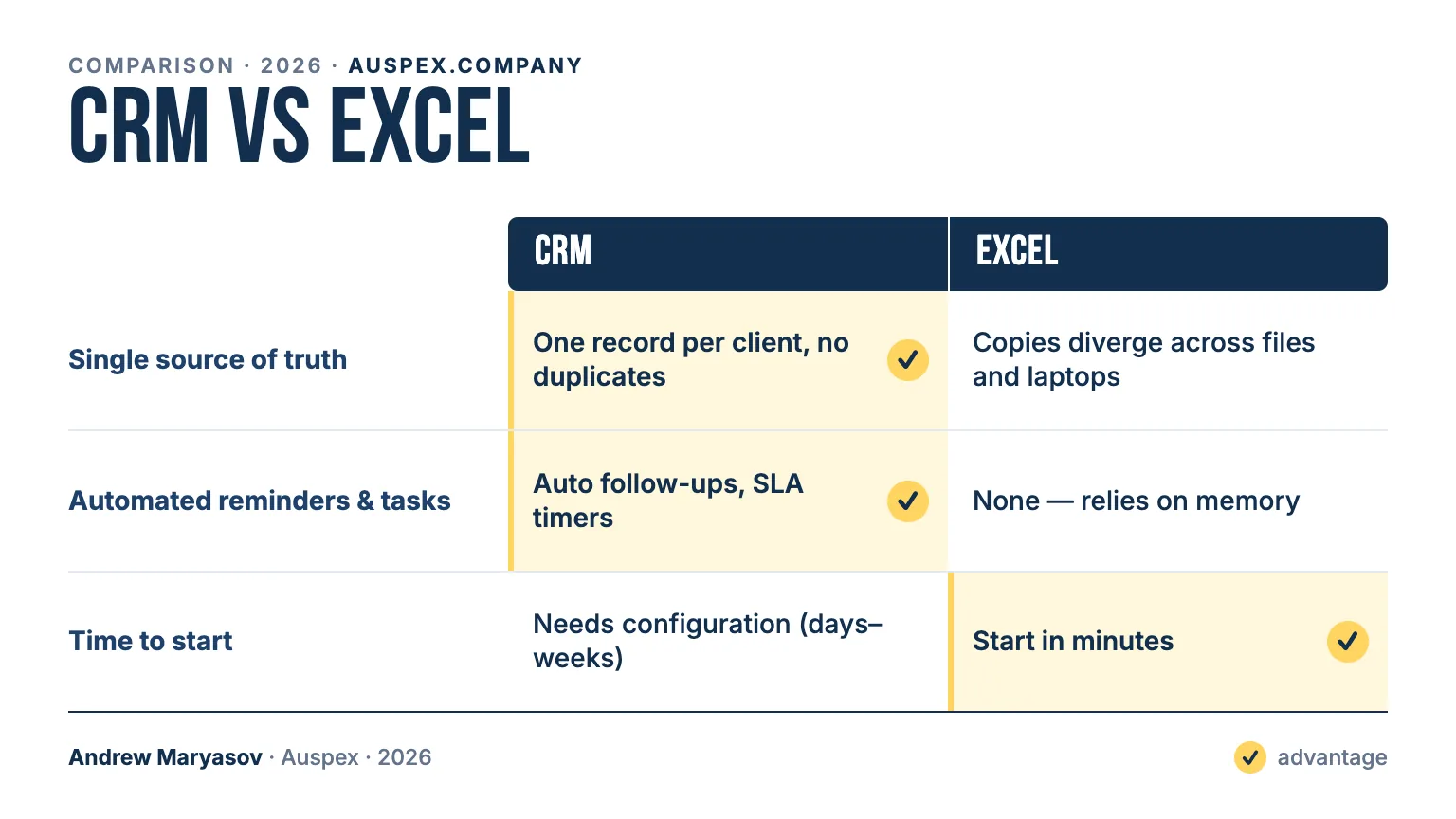
When does a spreadsheet start losing deals?
A spreadsheet stops paying off at a predictable point: when two or three people share one pipeline, or when the number of active deals passes roughly 300–500 (our own rule of thumb, not an industry norm). Below that line a disciplined founder can run sales in Excel and lose nothing. Above it the failure modes are always the same. Two reps overwrite each other's rows, so the file splits into copies that quietly diverge across laptops. Follow-ups depend on memory, so the deal that needed a call back on Thursday gets one on Monday, or never. Month-end forecasting turns into an hour of pivot tables that are stale by the next morning. None of this shows up as an error message. It shows up as revenue you never see, because the lost deal was never marked lost; it simply went cold in a row nobody reopened. That silent cost is the real comparison, not the price of a license.
What does a CRM change in day-to-day sales work?
A CRM replaces the spreadsheet's weakest habits with defaults. Every client becomes one record instead of several copies, and every call, email and chat attaches to that record, so context stops living in one person's memory. The pipeline becomes a visual funnel with stage history, which is what makes a forecast a live dashboard rather than a manual pivot. Reminders and SLA timers fire on their own: a follow-up is a task with a deadline, not a hope. Access is granular and audited, so a departing manager takes nothing with them and a new one sees exactly what they should. Validation keeps data errors low at scale, where manual errors in a sheet compound without anyone noticing. Excel genuinely wins on two things: it starts in minutes and already sits on every desk. A CRM needs days or weeks of configuration first. The trade is set-up time now against invisible losses later.
How long does moving off Excel take, and when does it pay back?
For a small or mid-sized company the move takes two to four weeks. The first few days go into designing the pipeline stages and fields around how the team actually sells; the rest goes into import, automations and training. Nothing is thrown away: every spreadsheet column is mapped to a CRM field, contacts, companies and deals are imported, and the original files stay as a backup you can always diff against. The team keeps working in the spreadsheet until the CRM is ready to take over, so there is no gap in selling. Payback starts at the moment the company stops losing leads to "I forgot to call back". The line itself is simple: Excel is right for a solo founder and the first dozen deals, and wrong from the first day two people depend on the same pipeline.
| Feature | CRM | Excel | Winner |
|---|---|---|---|
| Single source of truth | One record per client, no duplicates | Copies diverge across files and laptops | CRM |
| Concurrent multi-user work | Real-time, role-based editing | Lock conflicts, “final_v3.xlsx” | CRM |
| Sales pipeline & stages | Visual funnel with stage history | Manual columns, no history | CRM |
| Automated reminders & tasks | Auto follow-ups, SLA timers | None — relies on memory | CRM |
| Full client history (calls, email, chat) | Attached to the record | Not possible | CRM |
| Reporting & forecasting | Live dashboards | Manual pivots, stale by morning | CRM |
| Access control & audit | Granular, with an audit log | Whole file shared, or not | CRM |
| Time to start | Needs configuration (days–weeks) | Start in minutes | Excel |
| Cost to begin | Subscription per user | Already on every desk | Excel |
| Cost of errors at scale | Validation keeps it low | Manual errors compound silently | CRM |
Excel is fine for a solo founder and the first handful of deals. The moment two people touch the same pipeline, or a follow-up has to not fall through the cracks, a spreadsheet costs you revenue quietly — you just never see the deal you lost. A right-sized CRM starts paying for itself the moment you stop losing leads to “I forgot to call back.” Auspex moves spreadsheet-run teams onto a CRM in 2–4 weeks, keeping every row.
Frequently asked
Excel works for us — why change anything?
It works until it does not: two reps overwrite each other, a follow-up slips, and the month-end question “how many deals will close” takes an hour of pivoting to answer — badly. A CRM removes those exact failure modes; that is the whole reason to switch, not novelty.
At what team size does a spreadsheet break?
The moment 2–3 people share one pipeline, or you pass ~300–500 active deals. Below that a disciplined spreadsheet survives. Above it, lost context and manual errors cost more than the CRM does.
Will we lose data migrating off spreadsheets?
No. We map every column to CRM fields, import contacts, companies and deals, and keep the original files as a backup. Nothing is thrown away — you can always diff the two.