
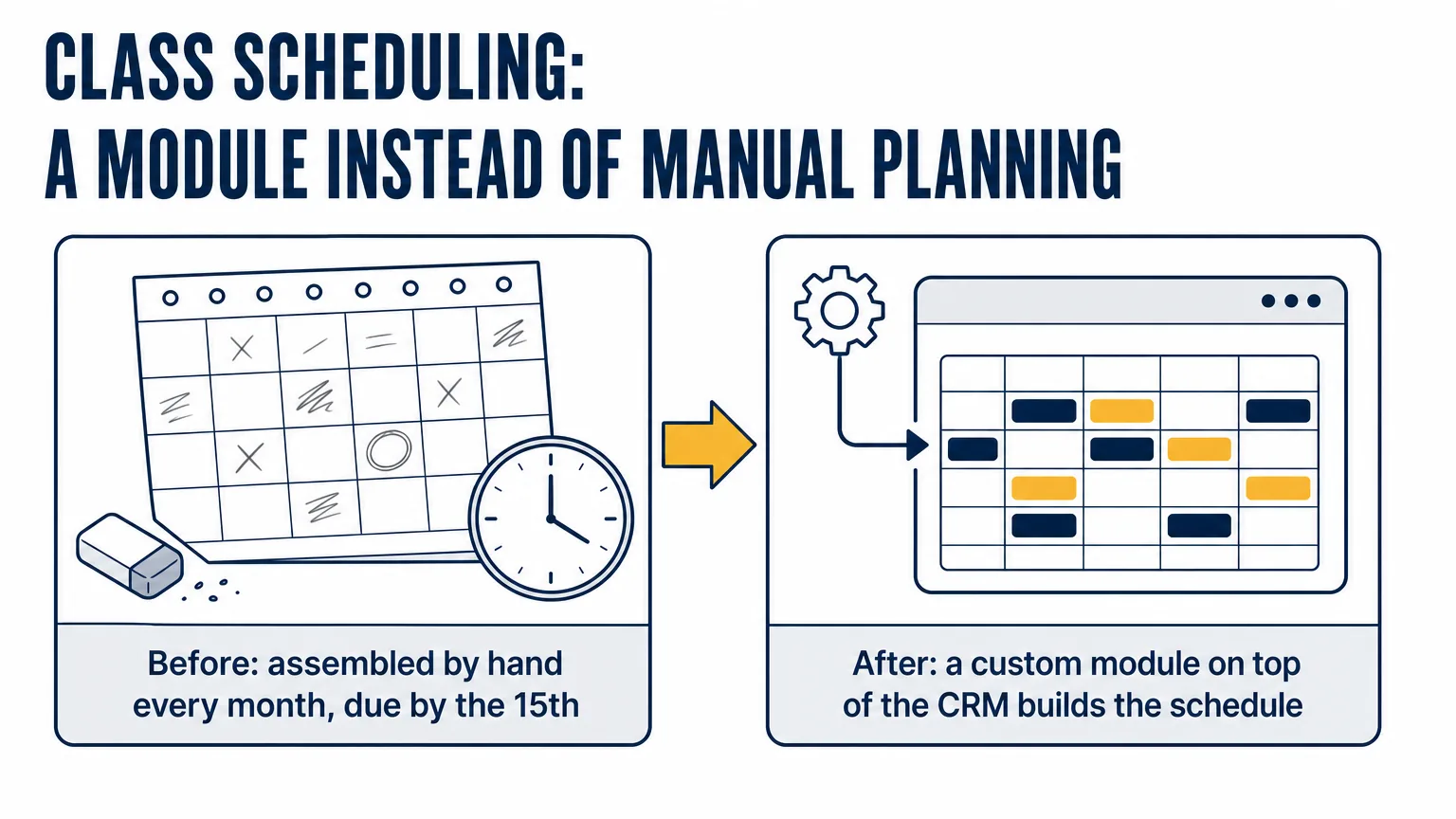
Before: how was the schedule assembled?
The training center runs on a cycle familiar across the industry: next month's groups must be formed by the 15th of the current month. Course, group and subgroup records were already in the CRM as smart processes — with durations, course type, participant limits and links to the deals of enrolled clients. There was no shortage of data. What was missing was a tool that turns that data into a calendar.
So the methodologist assembled it in their head and on paper. The rules you have to hold at once add up: an eight-hour working day, no weekends, no two groups of the same course on the same hours (except courses where parallel groups are explicitly allowed), short and long groups alternating evenly on mixed courses, the last group of the month possibly finishing in the next one, and numbering that restarts every January.
The cost of a mistake here is deferred. A clash between two groups is not flagged at the moment it is made — it simply becomes visible when the students have already shown up. And it gets fixed by people, not by the system.
Why write a module instead of configuring the CRM further?
A boxed CRM is good at what it was built for: records, lists, kanban, permissions, business processes. What it cannot do is lay hours out across working days according to one training center's domain rules — and no amount of field configuration will get you there. This calls for code, not a configurator.
We set the key constraint ourselves: no changes to the platform core. The entire module lives in its own isolated directory and uses only supported mechanisms — its own tables, controllers, UI extensions, the smart-process API. It is a dull-looking requirement that everything else depends on: the module is isolated from the core, so it can be maintained separately and carried over with the data if the client ever migrates to another platform.
What did we build?
A "Group schedule" item appeared in the CRM's main menu, with two primary screens — the calendar and the draft.
The calendar renders a grid of working days with group chips: course name, type (long or short), group number, headcount. When more than two groups fall on one day, the rest collapse into a "+N" badge. Groups that started last month and continue into this one carry a continuation marker. Groups that began overlapping against the rules after manual edits are highlighted in red — immediately, not in hindsight.
- Filters: period (month, week, custom range), multi-select courses, course type, certificate status — issued or not.
- Printing the schedule for the current period with the active filters applied, laid out for A4.
- Clicking a course or a group number opens the matching record in a side panel — no navigating away.
- Three roles: an inspector views and prints, a methodologist generates and configures, an administrator can also regenerate an already finalized schedule.
The second screen is the draft. The methodologist clicks "Generate" and the system lays next month's groups out according to the course settings. For now it is a draft you can see and correct: drag a group's micro-block onto another day and start dates, end dates, hour occupancy and conflicts are all recalculated. Once the picture works, "Generate" a second time. Only then does the system assign numbers in a year/sequence format, lock in the times and create real "Groups" smart-process records.
Settings are a screen of their own, where each course gets its number of short and long groups per month, a monthly total, and a flag for whether it takes part in auto-generation at all. That is what turns the module from a one-off automation into a tool: rules change during the year, new courses appear, and the methodologist edits them without involving us.
Which two details decide whether a module like this survives?
The first is the wave scheduler. Groups of one course are split into waves: parallel groups occupy the same time slot, sequential ones follow each other. A wave fills an eight-hour day; if it does not fit, it carries over to the next working day, and if it ends at midday, the remainder of the day goes to the next wave. Weekends are skipped. Planning runs in hours with fractional values supported — which will matter once the lesson-level curriculum plan comes up.
The second is two-phase finalization. Creating CRM records cannot be wrapped in a database transaction, so a failure halfway through would leave half the groups created and half not. So the module creates the CRM records first, then updates its own tables inside a transaction, and if the second phase fails it rolls the first one back, deleting the records it had just created. Clicking "Generate" twice does not produce duplicates. Every meaningful action — generation, a drag, finalization — is written to the audit log: who, what, when.
How long did it take?
The initial estimate was 60 development hours and 2.5–3 months of calendar time. A working version was on the client's server two weeks after the first commit — after which came acceptance, fixes raised by the methodologists, and final sign-off. We do not call that "built in two weeks": writing the code and putting a system into production are different durations, and it is more honest to show both.
- Roughly 6,500 lines of our own code — backend, interface, styles.
- 73 unit tests covering the wave scheduler, conflict detector, group numbering and permission checks.
- Three dedicated database tables for settings, generation runs and draft items.
- Zero changes to the platform core — the module is isolated and moves with a migration.
The work did not stop there: next in the queue are lettered subgroups and a separate methodologist view that splits hours into theory, practice and exams. The module was designed for that from the start — which is why the next blocks get added rather than rewriting the previous ones.
What's the takeaway?
When a business runs into a CRM that "almost fits", two options usually get considered: live with it or replace the system. There is a third — write the missing part on top of what you already run. Data, permissions, client records, deals and the team's habits all stay put; only the missing piece gets added. Auspex builds such extensions as separate modules, precisely so they can be developed further without fear of updates.