
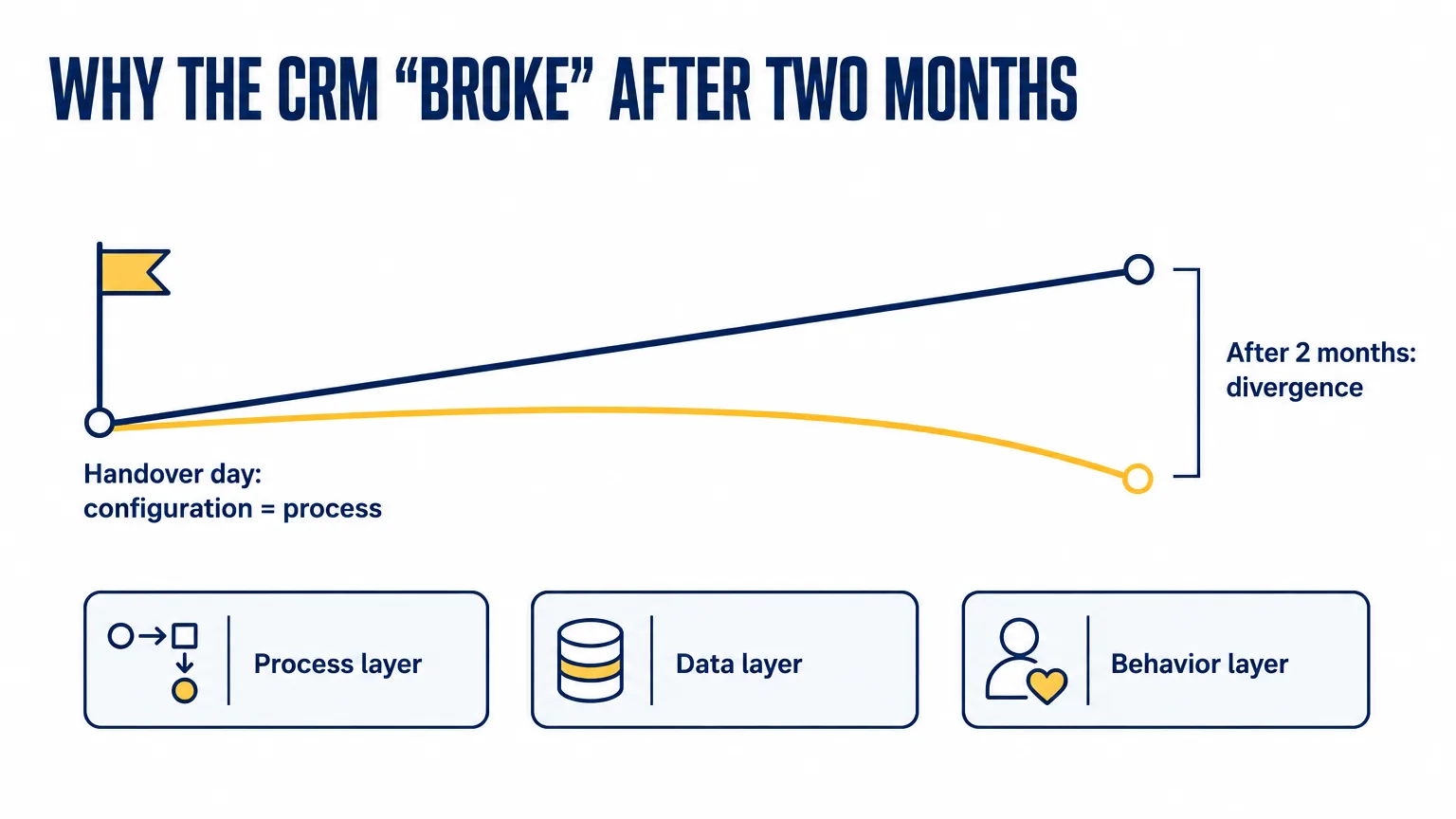
Almost everything written about CRM failures looks at the moment before go-live: which process to choose, what to measure, how to calculate payback. The question “why did the CRM stop working” comes later. In two months a new product appears, a new channel, an exception for a big client, a temporary arrangement while the department head is on vacation — and each of these changes happens in the business instantly and doesn't happen in the system at all until someone sits down and enters it by hand.
Why does “not working” after two months mean divergence, not a breakdown?
Process mining researchers call this concept drift and treat it as a basic property of processes, not a malfunction. The wording from the paper by Bose, van der Aalst, Žliobaitė and Pechenizkiy (IEEE Transactions on Neural Networks and Learning Systems, 2014): most business processes change over time, yet analysis techniques treat them as if they were in a steady state. Drift can be sudden or gradual, one-off or seasonal.
The paper is about algorithms, but the diagnosis is the same as in a CRM: the process model froze and the process didn't. The only difference is that in process mining researchers go looking for drift on purpose, while in a company after implementation nobody looks for it, because that job was never given to anyone.
The process layer: which stages has no deal passed through in a year?
The most visible trace of drift is empty stages. In April 2026 Auspex ran its own audit on its own CRM portal. Across all pipelines, 33 stages out of 60 had not seen a single deal in a year. In the main pipeline, three stages out of nine — “Proposal sent,” “Terms of cooperation agreed” and “Contract signing” — stood empty: the year's deals took a shortcut, going straight from inquiry to invoice and payment.
The pipeline drawn during implementation and the pipeline the team actually uses turned out to be two different pipelines. Nobody sabotaged anything. Agreeing on terms didn't go away; it just stopped being a separate step in the system and moved into message threads.
The April audit of one service company's CRM shows the same picture on a different scale: 37% of stages without a single deal in a year, and of thirteen configured pipelines, eight are actually alive. Both numbers are measurements from a specific portal, not industry statistics; we don't know what this share looks like on average across the market, and we haven't seen a study that measures it.
An empty stage is hard to notice for a specific reason. Reports are built by stage, and a stage with zero deals doesn't appear in any report — it simply isn't visible anywhere. Emptiness doesn't create a row. To see it, you have to open the pipeline settings and deliberately ask whether anyone has passed through here at all.
The data layer: why do automations break before reports do?
The second layer drifts more quietly. Fields that someone requested and defended during implementation gradually stop being filled in, and nobody ever made a decision about it. In April 2026 Auspex's own portal had 112 custom fields, of which two or three were actually being filled in. In the service company's audit, the deal card turned out to have 121 custom fields with a fill rate of 0%, and a spot check of contacts found about 19% duplicates and almost half of the contacts not linked to a company.
What matters here is the order in which the emptiness shows up. Reports degrade gently: the average is calculated over whatever is filled in, the number comes out lower than the real one, but a number does come out. Automations degrade abruptly. A condition that checks an empty field doesn't fire at all: it doesn't throw an error, it doesn't notify anyone, it just stays silent. So the first symptom of data decay sounds like “the automation stopped sending reminders,” not “the report is showing nonsense.”
Because of this, the data layer is almost always diagnosed in the wrong place. The complaint is about the automation, someone goes to check it, and the automation is fine — the condition is correct and it runs on schedule. Meanwhile nobody checks the empty field it looks at, because the field wasn't in the complaint.
The behavior layer: why is a workaround cheaper than the system?
The third layer drifts fastest and most quietly. If entering an action into the system costs more than doing it outside the system, people do it outside the system. Discipline has nothing to do with it, and lecturing doesn't cure it.
This mechanism is documented most precisely in hospitals. Koppel, Wetterneck, Telles and Karsh (Journal of the American Medical Informatics Association, 2008) examined how nurses work around barcode medication administration systems and described 15 types of workarounds and 31 types of causes — from crumpled and smudged barcodes to dead batteries and unstable Wi-Fi. Staff overrode the system's alerts for 4.2% of patients and 10.3% of medications. The authors' conclusion: workarounds are produced by shortcomings in design, implementation and integration into the real workflow.
A hospital is not a sales department, and these figures can't be carried over to a CRM. What carries over is the mechanism: a workaround appears wherever the system costs more than the way around it, and it always has more causes than the person who configured the system assumes.
In a CRM, workarounds leave a measurable trace: tasks. On the Auspex portal in April 2026, not a single open task was linked to a deal or a contact: zero percent. In the service company's audit, 8% were. “Call the client back” lives in the tasks module, the deal lives in the pipeline, and there is no link between them. As far as the pipeline is concerned, that call doesn't exist.
The second trace is how the workload is distributed. On our own portal, just over a third of active accounts actually worked with the CRM, and about 79% of the open pipeline rested on two people. In the service company, almost half of the open pipeline sat with one sales rep. When a person has hundreds of open deals, they physically can't manage them in the system. They keep the ones they remember in their head, and the system is the last to find out about them.
Why don't the three layers add up to one signal?
Each layer gives itself away in a different place, and none of those places is checked weekly. Process shows in the pipeline settings, where nobody goes after go-live. Data shows in automations, which complain by staying silent. Behavior shows in the tasks module and messaging apps — that is, outside the CRM altogether.
The speeds differ too. Behavior changes within weeks: a workaround is found as soon as it turns out to be cheaper. Data crumbles over months. Process drifts over quarters, at exactly the pace at which the business gains new products and channels. That's why there is never a moment when all three problems surface at once and someone says “we have decay.” There is a moment when a manager opens a report, doesn't believe it, and puts it as “the CRM doesn't work.”
What do your reports actually show?
The most unpleasant part of decay is that the instruments used to catch it drift along with everything else. An example from Auspex's own audit for April 2026. The standard metric “time to first activity on a lead” showed an almost instant response, and by that metric lead handling was fine.
Then it turned out that 44.6% of leads received their first “activity” within the first five minutes, and it wasn't people. It was business processes updating the last-activity field. Once automatic activities under five minutes were excluded from the calculation, the median human response time came to 11.2 hours and the mean to 55.7 hours.
One field, two authors. An automation and a person write to it in the same way, and the report can't tell them apart. The automation was set up to speed up the response, but it made the response itself unmeasurable and formally improved the metric by the very thing that ruined it.
Bitrix24 has nothing to do with it; the property is general: any metric that both people and automations write to stops being a metric of people the moment there are many automations. So after every new automation it's worth asking not only “what does it do” but also “which metrics is it now dressing up.”
Why is the process owner not the CRM administrator?
All three layers share one condition for detection: someone has to look regularly and have the right to change things. Michael Hammer described this role in his article “The Process Audit” (Harvard Business Review, April 2007) as one of five mandatory enablers of a process, alongside design, performers, infrastructure and metrics. An owner, in his definition, is an executive who is responsible for the process and for its results.
A process that is missing an enabler might deliver results in the short term through superhuman performance or executive intervention, but those results won't last.
— Michael Hammer, The Process Audit, HBR, 2007
That is what the first two months after go-live look like. The process runs on attention: the manager asks questions, the integrator is standing by, the team makes an effort. Then attention moves on to the next fire, and the enabler never appeared: nobody was given the owner's role, nor the time and authority to carry it out.
The CRM administrator and the process owner are different roles, and confusing them is the costliest mistake of all. The administrator answers the question “does the system work”: users log in, automations run, the integration hasn't gone down. The process owner answers a different one: does the process deliver results? Are all the inquiries in the system? Does the pipeline match how the team actually sells? Has a new workaround appeared? The first question gets a “yes” at exactly the moment when the answer to the second is already “no.”
How do you review the three layers in 90 minutes?
You can do this yourself, without an integrator. There is one condition: there has to be someone in the room who actually works in this pipeline, not just the person who once set it up.
- Process, 30 minutes. Open the report by stage for 12 months and write down the stages with zero deals and the pipelines that nothing entered all year. For each one, a written decision: remove or restore. Separately, ask a sales rep which step they do in messages instead of in the system. That step is the stage you don't have.
- Data, 30 minutes. Take three automations that were launched during implementation and, for each, write down the fields the condition depends on. Look at the fill rate of exactly those fields over the last month. In parallel, count how many custom fields on the deal card are filled in less than 10% of the time — that is your list of candidates for archiving.
- Behavior, 30 minutes. Look at the share of open tasks linked to deals and contacts, and at how open deals are distributed across sales reps. Then ask the team one question: what do you do outside the CRM because it's faster? The answer is never empty, and it is the most useful thing in the whole review.
The output should be three decisions and one name. The name of a process owner who has the time and the authority to run this same review a quarter from now.
What does Auspex do about it?
Auspex is a CRM implementation and business process automation company. The audit that the numbers in this article come from was run by Auspex in April 2026, first of all on its own portal. 33 empty stages out of 60, 112 custom fields with two or three in use, zero tasks linked to deals — these are our numbers, not a client's. The portal has been running for many years, and hundreds of configuration changes and dozens of people who left the company long ago have passed through it.
Publishing our own numbers is uncomfortable, but they prove the point more precisely than any client case study. Decay after go-live happens to any configuration that nobody is assigned to, and the speed is set by the business: the faster it changes, the faster the configuration drifts. The quality of the implementation affects the point from which the drift starts, not whether there will be any.
That is why, in the Auspex methodology, configuring the system is step five of eight, and training, the test period and support after go-live are separate steps that follow it. In an audit the three layers are checked separately: configuration against the real process, field fill rates for specific automations, and traces of workarounds — tasks, messaging apps, spreadsheets on the side.
If the review produced a longer list than you expected, you can bring it to a CRM and automation audit. Auspex goes through all three layers on a live portal and shows which gaps can be closed with configuration and which need a decision about the process owner. The service page is in the links below.
Sources
- Bose, van der Aalst, Žliobaitė, Pechenizkiy — Dealing with Concept Drifts in Process Mining, IEEE TNNLS 2014;25(1):154-171 (processes change, models treat them as stable)
- Koppel, Wetterneck, Telles, Karsh — Workarounds to Barcode Medication Administration Systems, JAMIA 2008;15(4):408-423 (15 types of workarounds, 31 types of causes)
- Michael Hammer — The Process Audit, Harvard Business Review, April 2007 (the process owner as one of five enablers)