
Most discussions of AI in sales stop at the same point: “AI analyzes the data.” But where does that data live? In the CRM. And what keeps AI from getting in there? The lack of a standard protocol between the agent and the system.
MCP (Model Context Protocol) is the answer to exactly that problem. Auspex tested the Uspacy MCP server in practice. Below: what the system can actually do, where it stops and who needs it right now.
What is an MCP server for CRM?
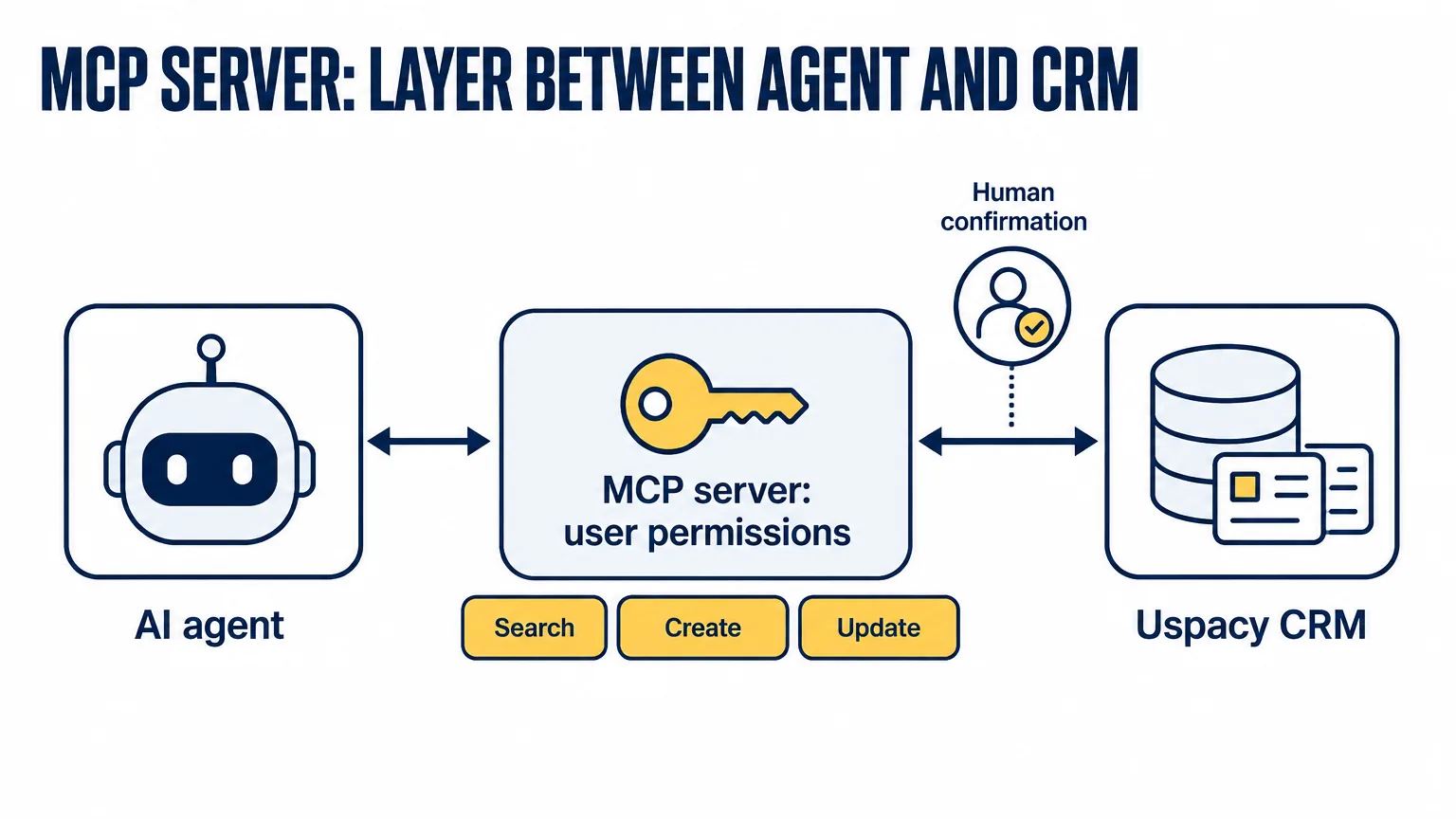
MCP is an open standard developed by Anthropic that lets AI agents connect to external systems through a unified interface. Instead of a separate “agent → CRM” integration, a company deploys an MCP server, and any compatible agent can read and change data through it.
For a sales rep it looks like this: instead of opening the CRM, hunting for the right record and clicking between sections, you message the agent “find all open deals with Company A that have had no activity for more than 10 days” and get the answer in seconds. But this isn't a voice interface on top of the CRM — the agent gets real access to the system's operations.
Uspacy MCP: what did we test?
Uspacy is a Ukrainian CRM platform that has deployed its own MCP server at mcp.uspacy.com/mcp. We connected it to our own account and tested it hands-on — this article is built on that experience.
The Uspacy MCP server has about 25 tools covering four types of operations:
- Searching and reading — find a contact, company or deal by name, status or custom fields; get the list of tasks for a deal or a contact.
- Creating records — a new contact, a new deal linked to a company, a note or a comment on a record.
- Updating data — change a deal's status, update a field, change the assigned rep.
- Aggregation — deal counts in the pipeline by status, a rep's activity over a period.
The MCP server defines the agent's permissions through the permissions of the user it's connected as. There is no separate “service account” with extended privileges. If Oksana, a sales rep, sees only her own pipeline, an agent connected on her behalf sees only her pipeline. An administrator connects the agent under their own account and gets access to everything the administrator sees. The agent can't do more than the person can.
Where's the line: what won't the agent do without confirmation?
In our testing we wrote two areas of restriction into the agent's system prompt; the third is covered by account permissions in Uspacy.
The first is irreversible actions: deleting records and archiving deals require separate confirmation from a person. The second is bulk updates: the agent changes the status of a single deal on its own, but moves 300 deals between pipelines only after an explicit “yes.” The third takes care of itself: if a rep has no permission for a record in Uspacy, the agent won't see it either.
Why is “CRM + chat” ≠ “a CRM you run with words”?
Several different things go by the same description on the market. A chatbot on top of a CRM answers questions about the data but doesn't change the data itself. “How many deals are in the pipeline?” — it will answer. “Move the deal to the next stage” — it won't. A CRM integration with a messaging app syncs data between two systems; that's useful, but it isn't an agent with access to operations. An MCP agent on top of a CRM is the third type: it reads from and writes to the CRM through a standard protocol, within the permissions of the connected account. Uspacy MCP is exactly that.
Who needs this now?
Based on our testing, we see three concrete scenarios where MCP on top of a CRM makes a tangible difference.
A sales rep on a call with a customer: no opening several tabs, no hunting for the right field. They message the agent “show me the last 3 deals with this customer and the notes” and get them in seconds. After the call, they create the deal with a single command.
A team lead on the morning call: instead of a manual summary pulled from the CRM, a request to the agent — “which deals in my team have had no activity for more than a week?” The list is ready before the meeting starts.
An automated pipeline for a team with technical resources: an AI agent as part of an n8n or Make workflow that automatically updates statuses, adds notes or checks task completion against rules — with no human involved.
How do you connect Uspacy MCP?
- In Uspacy, enable MCP access for the account — an administrator setting.
- Copy the endpoint: mcp.uspacy.com/mcp.
- Connect the endpoint to an MCP-compatible agent (Claude, Cursor or any client that supports the protocol).
- Set up the agent's system prompt: what it may do autonomously and what needs confirmation.
What takes longest here isn't the connection but agreeing on the boundaries: what the agent does on its own and what it escalates for confirmation. Auspex, as a Uspacy partner, helps with this step on the CRM side — permissions, roles, process; the agent itself and its prompt are built by Grow2.ai, our AI division.
Sources
- Uspacy — MCP Server Uspacy: ШІ-помічник для роботи з CRM (in Ukrainian)
- Uspacy — API Reference
- HubSpot — The HubSpot MCP Server available in Public Beta (6 May 2025)
- HubSpot — Remote HubSpot MCP server is now generally available (13 April 2026)
- Salesforce — Hosted MCP Servers Are in Beta Today (5 November 2025)
- Salesforce — Hosted MCP Servers Are Now Generally Available (April 2026)