
Pipedrive vs Zoho CRM
Which is cheaper: Pipedrive or Zoho CRM?
It depends on the plan you actually need. At the entry level the two are close: Pipedrive Lite costs 14 € per seat per month on annual billing on the European storefront, against $14 for Zoho Standard. At the automation-grade level Zoho pulls ahead: Pipedrive Growth is 39 € per seat while Zoho Professional is $23. Prices checked in September 2026; Pipedrive publishes in euros for Europe, Zoho in US dollars. The pricing models differ too. Pipedrive charges per seat plus per-company add-ons, so a tool like LeadBooster adds roughly 30 € a month flat on top of licenses; Zoho charges per seat with more folded into each tier. Zoho also has a free plan for up to three users, where Pipedrive offers only a 14-day trial. Heading past about 15 seats with per-seat cost becoming the deciding factor? Put a flat-rate CRM on the shortlist before you sign.
Pipedrive or Zoho CRM: which should a small sales team choose?
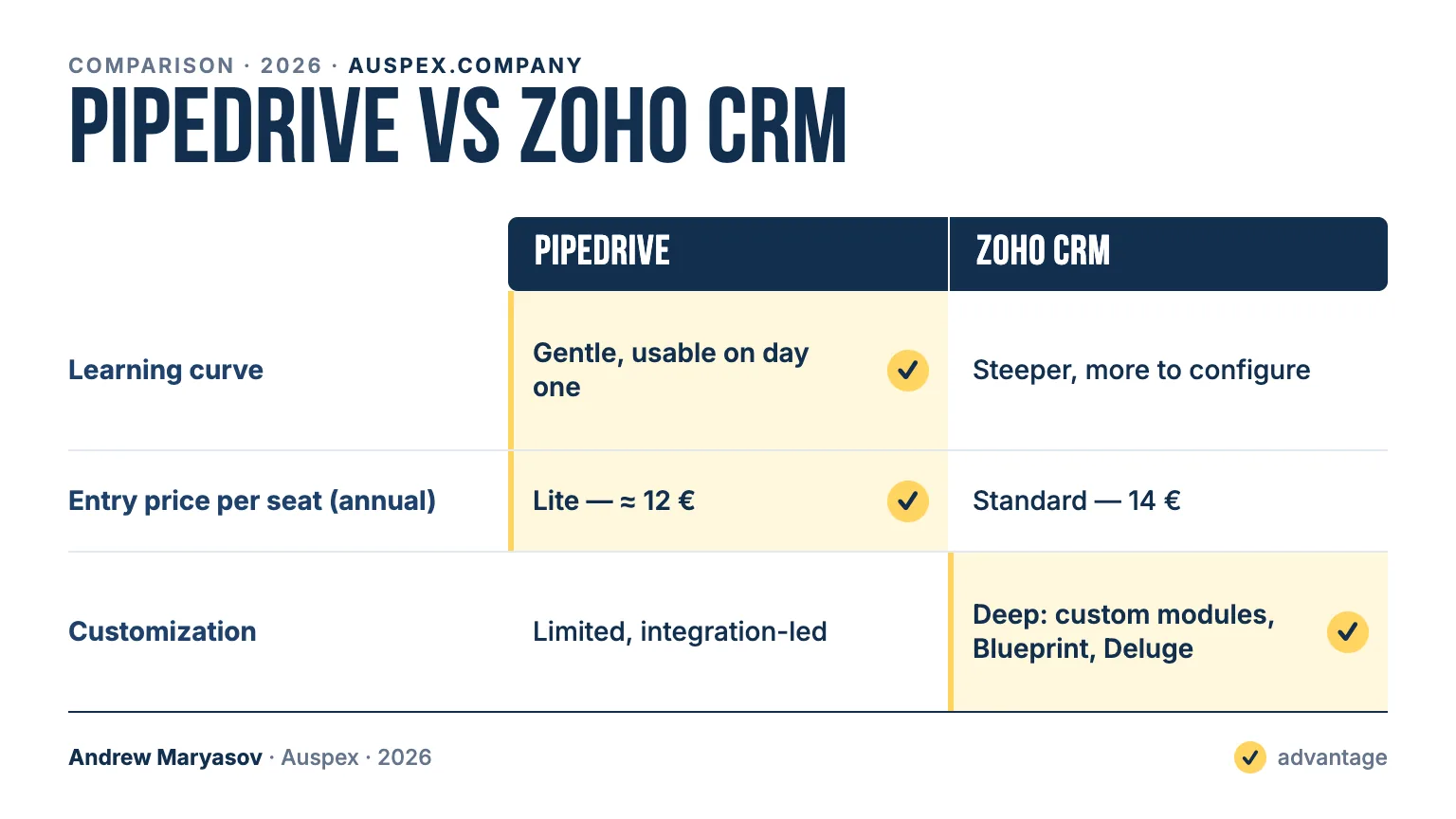
A small team whose main job is closing deals should choose Pipedrive. It is a focused sales pipeline with a gentle learning curve, usable on day one, and its Sales Assistant AI is included from the entry plan; the price of that focus is limited, integration-led customization. Zoho CRM is a broad, customizable suite: custom modules, Blueprint process design and Deluge scripting let you encode unusual processes, and its 55-plus apps under one vendor cover sales, marketing and support. Zia, its full AI suite, only arrives on Enterprise at $40 per user per month, so AI is a tie of different shapes. The trade-off is a steeper learning curve with more to configure. Pick Pipedrive to have people productive this week; pick Zoho CRM if you want one system to grow across the business. Auspex implements both Pipedrive and Zoho, so this read comes from delivery, not only from datasheets.
| Feature | Pipedrive | Zoho CRM | Winner |
|---|---|---|---|
| Best for | Focused sales pipeline, fast to learn | Broad, customizable CRM suite | — |
| Free plan | No — 14-day trial | Yes — up to 3 users | Zoho CRM |
| Learning curve | Gentle, usable on day one | Steeper, more to configure | Pipedrive |
| Pricing model | Per seat + per-company add-ons (LeadBooster ~30 €/mo flat) | Per seat, more folded into each tier | Zoho CRM |
| Entry price per seat (annual) | Lite — 14 € (EU storefront) | Standard — $14 | tie |
| Automation-grade tier per seat (annual) | Growth — 39 € | Professional — $23 | Zoho CRM |
| Customization | Limited, integration-led | Deep: custom modules, Blueprint, Deluge | Zoho CRM |
| AI | Sales Assistant from the entry plan | Zia — some features from the mid tiers, full suite on Enterprise ($40/user/mo) | tie |
| Ecosystem | Marketplace + own add-ons | 55+ Zoho apps under one vendor | Zoho CRM |
For a small sales team whose main job is closing deals — and who wants people productive this week, not next month — Pipedrive is the more rational pick, provided you budget for the add-ons you'll actually use (some, like LeadBooster at ~30 €/month, are billed per company on top of per-seat licenses). For a business that wants one system to grow across sales, marketing, and support, or that needs to encode unusual processes, Zoho CRM offers more room and a lower price on automation-grade plans, if you can absorb the steeper learning curve. Heading past ~15 seats with per-seat cost becoming the deciding factor? Put a flat-rate CRM on the shortlist before you sign.
Frequently asked
Is Pipedrive better than Zoho CRM for sales teams?
For a team focused purely on the sales pipeline, Pipedrive is often the easier fit: a visual pipeline, a gentle learning curve, and reps productive within hours. Zoho CRM can match the sales workflow and adds deeper customization and a broader platform, but with a steeper ramp. "Better" depends on whether you want a focused sales tool or a system to grow across sales, marketing, and support.
Does Pipedrive have a free plan?
No. Pipedrive offers a 14-day free trial but no free tier — paid plans start at Lite (14 € per seat per month on annual billing, European storefront). Zoho CRM, by contrast, has a free plan for up to three users, which makes it the cheaper way to start from zero.
What add-ons raise Pipedrive's real cost?
The base plans are lean; capability is sold separately. LeadBooster (chatbot, web forms, live chat, prospecting), Smart Docs, web-visitor tracking, Campaigns, and Projects are add-ons. Some — LeadBooster among them — are billed per company (a flat ~30 €/month regardless of seat count) and stack on top of per-seat licenses. Price Pipedrive with the add-ons you'll actually enable, not just the base seat.
Which is cheaper, Pipedrive or Zoho CRM?
It depends on the tier. Pipedrive's entry Lite (14 €/seat) lands close to Zoho's Standard ($14/seat), but Zoho CRM has a free plan and generally costs less once you need real automation — its Professional plan ($23/seat) sits below Pipedrive's Growth (39 €/seat). Add Pipedrive's per-company add-ons and the gap widens further in Zoho's favor for automation-heavy teams.
Which has better AI, Pipedrive or Zoho CRM?
Different trade-offs. Pipedrive's AI Sales Assistant (deal and activity suggestions, AI reporting) is available from the entry plan up, so basic AI reaches small budgets. Zoho's Zia is deeper — predictive scoring, anomaly detection, sentiment analysis — but the full suite is gated to the Enterprise tier. It's narrow-but-cheap versus deep-but-higher-tier.
Can I switch from Pipedrive to Zoho CRM, or back?
Yes — both are common "second CRMs," and migration is routine. It involves moving contacts, deals, and activity history, then rebuilding pipelines, custom fields, and automations in the new system. Effort scales with data volume, the number of custom fields, and how many workflows must be recreated by hand. Auspex handles CRM selection and implementation, including migration planning, as part of a project.